It takes time to walk back to a remote base or revisit a structure you discovered. Better WayStones is a Bedrock add-on that connects named teleport points. Make a stop private, share it with everyone or reserve it for your team. That keeps destinations organized in solo and multiplayer worlds.
Register your base, mines and other destinations. For carrying supplies, try OTG Backpack. For storage back at base, try Iron Chests. We haven’t tested all features of these add-ons together.
This guide covers Better WayStones v1.8.2 by FoxyFall. We checked the pack definitions, recipes and scripts, and played on iPhone 17 Pro and on PS5 through Realms. The features we used worked on both. We didn’t record exact OS or Minecraft versions or perform a feature-by-feature test. The field notes below describe the playthrough.
On this page Show or hide contents
- Field notes from mobile and PS5
- Features
- Install on mobile or PS5
- Naturally generated shrines
- Three crafting recipes
- How to register waystones and teleport
- Manage names, visibility and teams
- XP costs and upgrades
- Warpstones and return scrolls
- Settings and optional commands
- Optional Japanese download
- Troubleshooting
- Credits, sources and distribution terms
Field notes: finding my way back
Added November 6, 2026. These notes describe my time playing with the add-on. The exact values in the reference sections come from the pack files.
I could mark a structure and head home to get ready
When I found a structure I wanted to explore, I’d leave a waystone nearby. Then I could head home to sort my loot or get better gear, knowing I could return to that spot. It made it easier to keep exploring.
It was especially handy on trips where I needed to go back and forth several times. To carry more on each run, see our OTG Backpack guide.
Less travel to distant farms and structures
I liked using waystones to reach farms that only work in certain places, such as a froglight farm, or to revisit a fortress. After making the journey once, I could spend more time using what I’d found.
Spending XP made each trip a choice
I sometimes wanted to save my levels for something else. I liked that trade-off. Teleporting made travel easier, and having a cost to consider still gave the journey some weight.
Costs depend on distance, settings and upgrades, and some trips are free. See XP costs and upgrades for the full breakdown.
Tested on mobile and on PS5 through Realms
I played on my phone, then installed the add-on for PS5 through Realms using the phone. The features I tried worked in both sessions. For the setup, see our phone and Realms guide.
The original play report didn’t record the device model, OS, exact Minecraft version or individual test results. Shrine generation, every waystone type and every sharing setting have yet to be tested in-game.
What Better WayStones can do
- Travel between named waystones.
- Choose private, public or team access.
- Mark favorites, search by name, filter by visibility and sort destinations.
- Pay XP levels based on distance and upgrade destinations to reduce the cost.
- Use naturally generated waystones, portable warpstones and return scrolls.
Natural generation is enabled by default. You can also craft and place your own waystones. Administrators can require players to discover public waystones before using them. That setting starts off.
Install on mobile or PS5
- Make a copy of any world you want to keep.
- Get the original add-on from its official download page, or use the unofficial Japanese edition below, which includes the add-on.
- Open the .mcaddon file in Minecraft to import it.
- Activate both the behavior pack (BP) and the resource pack (RP) in your world settings.
- Enter the world and try crafting, placing and registering a waystone.
For the PS5 installation route, see our phone-to-PS5 Realms guide. The pack specifies a minimum engine version of 1.21.100, and the official file listing includes support labels such as 26.50. We played on mobile and on PS5 through Realms. Read the field notes for details of what we tested.
Use a naturally generated shrine as a stop on your travels
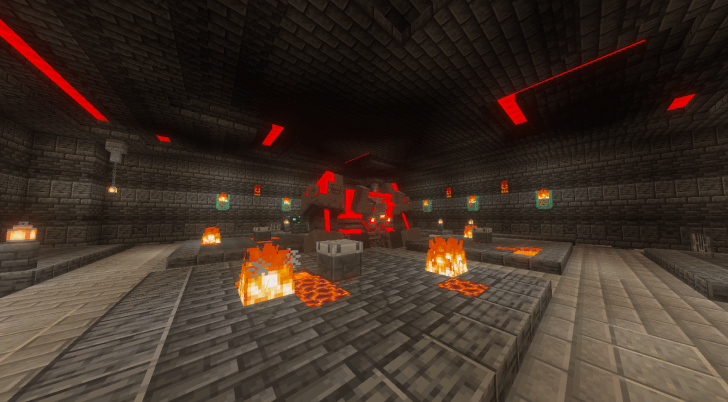
As well as crafting your own waystones, you can find arched ruins and shrines that already contain one. Register it while you’re exploring to add a destination before you’ve gathered the ingredients to craft your own.
Where do shrines generate?
In v1.8.2 the generation rule targets the surface of the Overworld. It excludes coast, desert and ocean biomes along with the deep, caves and deep_dark biome tags. The structure needs ground contact and room to generate without becoming buried or conflicting with existing blocks. The pack has no shrine generation rule for the Nether or the End.
When an eligible chunk generates, the rule makes one attempt with a 1-in-400 (0.25%) chance. Even a successful roll can fail to place a shrine if the terrain or nearby blocks get in the way. Exploring 400 chunks doesn’t guarantee a find. In an existing world, look in terrain generated after you installed the add-on.
How to use a shrine you find
- Interact with the waystone in the shrine.
- If it hasn’t been registered, choose a name and visibility. The first player to register it becomes the owner.
- Select Public to make it a stop for everyone, or Team to share it with your group.
- Use it as a destination for other registered waystones. The owner can sneak and interact to change its settings.
Finding a shrine, registering a new waystone and discovering an existing public stop are separate actions. If discovery is required, you must approach a registered public stop to unlock it. The default detection range is eight blocks and takes the dimension and vertical distance into account. Discovery starts off by default.
The settings screen has an on/off switch for natural generation. In this version, we couldn’t find code linking the saved setting to the terrain generation rule, so we couldn’t verify that switching it off prevents shrines from generating.
Sources from v1.8.2 include feature_rules/bws_default_structure_rule.json, features/bws_default_structure_feature.json, events/interactBlock.js and events/discovery.js. We haven’t tested shrine generation, discovery or first registration in-game.
Three crafting recipes
The layouts below come from the v1.8.2 recipe files. The official description lists four shards for a warpstone and eight sheets of paper for scrolls. The included recipes use three shards and seven sheets respectively.
Obtaining an ender pearl unlocks the waystone recipe. If you can’t see it in the recipe book, check your materials and make sure the behavior pack is active.
How to register waystones and teleport
Register a waystone at each end of your route to teleport between them. Try traveling between two stones first. The portable return items choose their destinations in a different way.
- Place the waystone with two blocks of vertical clearance.
- Choose a name and visibility in the registration screen. If you close it, interact with the placed waystone to reopen it.
- Register a waystone at your destination too.
- Interact with a waystone normally to open the destinations list, then select your stop.
- Check how many levels the trip costs before confirming.
On mobile, use the Use/Interact action for your control scheme. To manage a waystone you own, sneak as you interact. The attack or block-breaking controls do something different.
Manage names, visibility and teams
The owner can sneak and interact to rename, change visibility, upgrade, choose colors and icons, mark favorites or remove the stone. Names can contain 1–24 characters, including Japanese. Leading spaces, leading hyphens and certain symbols aren’t allowed.
| Visibility | Who it’s for |
|---|---|
| Private | Your own base or work area |
| Public | A base or facility everyone can use |
| Team | Players with the same team tag |
Team tags contain 1–16 ASCII letters, digits or underscores. Join or leave a team in your personal settings. Team tags are for sharing destinations and don’t provide invitation-only access or server-level permissions.
XP costs and upgrades
By default, travel within a dimension costs one XP level per 700 blocks of straight-line distance in three dimensions, rounded down, up to three levels. Trips under 700 blocks are free. Cross-dimension trips have a base cost of three levels. Creative mode uses no XP.
| Tier | Required block | Multiplier on base cost |
|---|---|---|
| Basic | None | 100% |
| Iron | 1 iron block | 75% |
| Diamond | 1 diamond block | 50% |
| Netherite | 1 netherite block | 0% (free) |
Upgrade each tier in sequence from the waystone’s management menu with the material in your inventory. The destination’s multiplier applies, and the final cost rounds up. For example, 75% of a three-level fare is 2.25, which still rounds up to three levels. An upgrade benefits everyone who uses that destination.
Upgrading returns the block from the previous tier. Removing or breaking the stone returns its current upgrade block. Check both your inventory and the ground nearby.
Warpstone or return scroll?


Using a warpstone. Use it in your hand to travel to the last waystone you arrived at. You must have traveled between waystones at least once. It uses durability and has a default cooldown of 1,200 ticks, normally 60 seconds. The creator lists 16 uses.
Using a return scroll. This single-use item takes you back to the spot you departed from on your most recent teleport. It clears that departure record after use. It works independently of the warpstone cooldown and doesn’t send you to your bed.
Settings and optional commands
You can use waystones normally without entering commands. The following optional commands open specific menus directly.
/scriptevent bws:settingsopens personal settings, including your team./scriptevent bws:listopens the destinations list./scriptevent bws:adminopens the administration menu and requires administrator permissions.
Running chat commands can depend on world settings such as cheats. If you want to keep Xbox achievements available, use the normal controls and read your world’s notice before changing settings. Global settings cover XP, cooldowns, cross-dimension travel, required discovery, discovery radius, placement limits and natural generation.
Download the unofficial Japanese edition
Addon Note translated this optional edition from v1.8.2. It includes 149 translated entries plus Japanese menus, input fields and error messages. The original creator publishes the English release.
Download the Japanese edition with the add-on included, v1.0.1
- Open the downloaded .mcaddon in Minecraft. The bundle includes the original add-on.
- Activate the Japanese behavior pack and resource pack in your world.
- Activate one edition at a time and set Minecraft’s language to Japanese.
This update preserves the original UUIDs and save keys. Make a copy of your world before upgrading from Japanese v1.0.0. The internal pack version 1.8.4 lets Minecraft recognize the update. Its features are based on the creator’s v1.8.2 release. Existing place names and player names stay as entered.
Use a text-only Japanese translation with the original add-on
Japanese text resource pack v1.0.0. This option needs the original v1.8.2 add-on. Place the translation above the original resource pack. It translates names and notifications, while hard-coded menus remain in English. Choose either this text pack or the bundled Japanese edition.
When redistributing either the bundled Japanese edition or the translation-only pack, retain the copyright notice and permission text as required by the MIT license for the covered material.
Troubleshooting
My destination isn’t listed
Check that the waystone is registered, that its visibility and team tag match, and that you haven’t left a search filter active. In a world that requires discovery, visit the public stop first.
The menu won’t open after I place a waystone
Check that both packs are enabled, the versions are supported and there’s enough space overhead. If you closed the registration screen, interact with the stone again. See our installation troubleshooting guide .
Some text is still in English
The text-only pack leaves hard-coded menus in English. If you installed the bundled Japanese edition, check which packs your world has active and confirm that the game language is Japanese. Logs, internal IDs and existing place names stay as they are.
Credits, sources and distribution terms
Original creator: FoxyFall. Official Better WayStones download / MIT license. Endermen76428 created some of the models, lettering textures and naturally generated structures. Simple Waystone / License for Simple Waystone. Sources checked November 2, 2026.
The unofficial Japanese edition retains the original copyright notice and MIT permission text. A third-party license text was missing from the supplied files. We reconstructed it from the creator’s published license and the asset list in the original LICENSE, and included it in both packs. This is a reconstruction of the published terms. Addon Note did not obtain separate permission or recover a missing original document. We retained the placeholder in the published copyright line without adding an assumed year.
Read the note on the reconstructed third-party license. Images are the supplied pack’s icons and item textures and retain their attribution and MIT terms. We checked the official description against v1.8.2 and used the file values where recipes differ.